Code Aligned
Book Consultation Book a Call
Project management · Salesforce

PMO on SalesHub

A Jira-style project management experience built inside Salesforce, connecting project work with bi-directional synchronization and executive reporting.

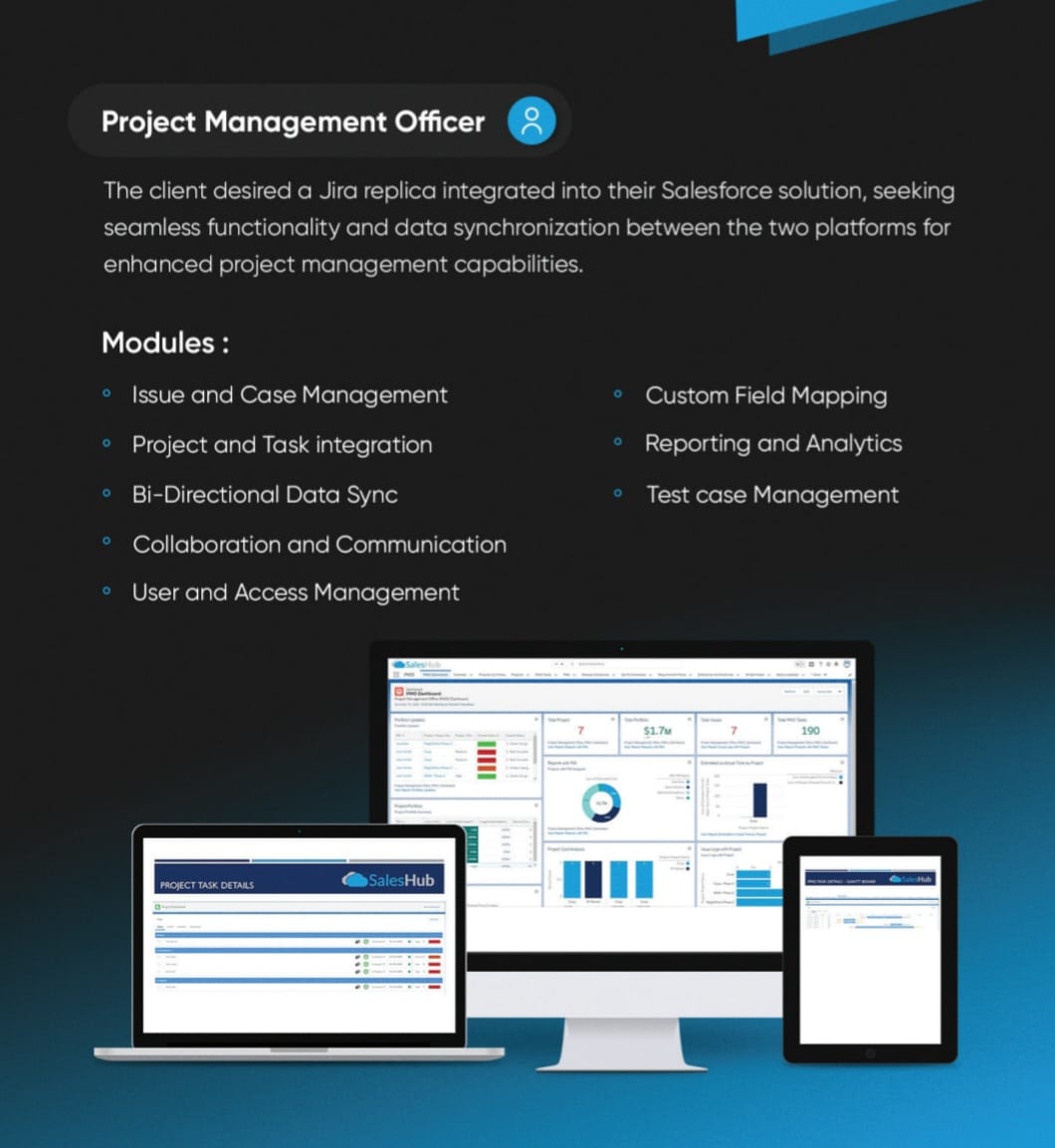
PMO on SalesHub project management dashboards and task views across devices
Overview

Project delivery inside Salesforce

The client sought a Jira-style project-management experience inside Salesforce, with synchronization between the platforms. That requirement frames the core challenge: project and task work needs its own structured tools while remaining connected to the Salesforce environment.

The feature set includes issue and case management, project and task integration, test-case management, collaboration, user access, custom field mapping, and analytics.

Category
Project management
Platform
Salesforce · SalesHub
Experience
Jira-style project workspace
Project focus
Bi-directional data synchronization
Discuss a similar project
Challenge

Keep project delivery and Salesforce in sync

The client needed Jira-style project and task management within Salesforce, while keeping records aligned between platforms. The scope also called for handling field mapping and the supporting collaboration, issue, and test workflows.

Project teams need dedicated structures for projects, tasks, issues, cases, and testing, while Salesforce remains a central source of customer and business context. Without reliable synchronization and field alignment, the same work can be represented differently across systems and become harder to report on consistently.

Strategy & Solution

Project work that stays connected to Salesforce

The client wanted a Jira-style project-management experience inside Salesforce, with data synchronized between the two platforms.

The solution combines project and task integration with issue and case management, test-case tracking, and collaboration capabilities. Bi-directional synchronization connects the platforms, while custom field mapping supports record alignment; reporting and analytics provide a consolidated view of project activity.

Business context

Reduce the distance between CRM and delivery work

The client sought Jira-like functionality within its Salesforce solution, with synchronization between the two platforms. The requirement is to give project and task work structured management tools while keeping it connected to the Salesforce environment.

Solution approach

Combine project controls with two-way data flow

The solution brings project-management capabilities into SalesHub and synchronizes data in both directions. Custom field mapping, reporting, and analytics support the integrated workspace and its connection to the other platform.

  • Organize projects, tasks, issues, cases, and test cases.
  • Synchronize data in both directions between platforms.
  • Map custom fields to support aligned records.
  • Include collaboration, access management, and reporting capabilities.
Solution highlights

Keep project work and Salesforce aligned

Project execution, synchronization, and visibility come together in a Salesforce-native workspace.

01

Coordinate projects and tasks

Project, task, issue, case, and test-case management support delivery work from one workspace.

02

Synchronize both ways

Bi-directional sync and custom field mapping keep data connected across the integrated platforms.

03

Improve shared visibility

Collaboration tools, reporting, analytics, and executive dashboards surface project information.

Capabilities in focus

  • Project and task integration
  • Bi-directional data sync
  • Issue and case management
  • Custom field mapping
  • Test case management
  • Collaboration and communication
  • User and access management
  • Reporting and analytics
Results

Project delivery closer to CRM data

The Salesforce workspace brings project and task controls together with bi-directional synchronization, field mapping, collaboration, and reporting. Project activity can be managed alongside Salesforce records, with mapped fields helping keep information aligned across the integration.

Issue, case, and test-case capabilities add delivery detail, while reporting and analytics provide visibility into project work. These are the documented solution outcomes; no productivity or time-saving metrics were supplied.

Bring project work closer to your CRM?

Let's talk about Salesforce integrations that support your project teams.

Start a conversation