Quick answer: How can Dallas B2B teams improve Salesforce pipeline visibility?
Start by defining what each sales stage means, assigning every inquiry to a responsible owner, keeping opportunity data current, monitoring deal changes, aligning forecast categories, connecting commercial information from other systems, and reviewing a consistent set of pipeline metrics every week. Salesforce Sales Cloud can support all seven practices, but useful visibility depends on configuration, accurate records, clear responsibilities, and seller adoption—not simply buying more software.
The visibility test
A sales director should be able to answer: What might close? What changed? What is blocked? Who owns the next action?
Why pipeline visibility matters for Dallas businesses
Dallas is not one type of market. The Dallas–Plano–Irving area has substantial professional and business services, IT, financial services, and distribution activity, according to the Federal Reserve Bank of Dallas. The Dallas Regional Chamber also describes a wider DFW economy spanning high-tech, financial activities, logistics, manufacturing, and other sectors. These are regional facts, not a claim that every Dallas County company follows the same sales process.
That diversity creates different CRM needs: partner referrals and multi-stakeholder proposals for consulting firms; renewals and expansion for software providers; and quoting, inventory, and fulfillment context for distributors.
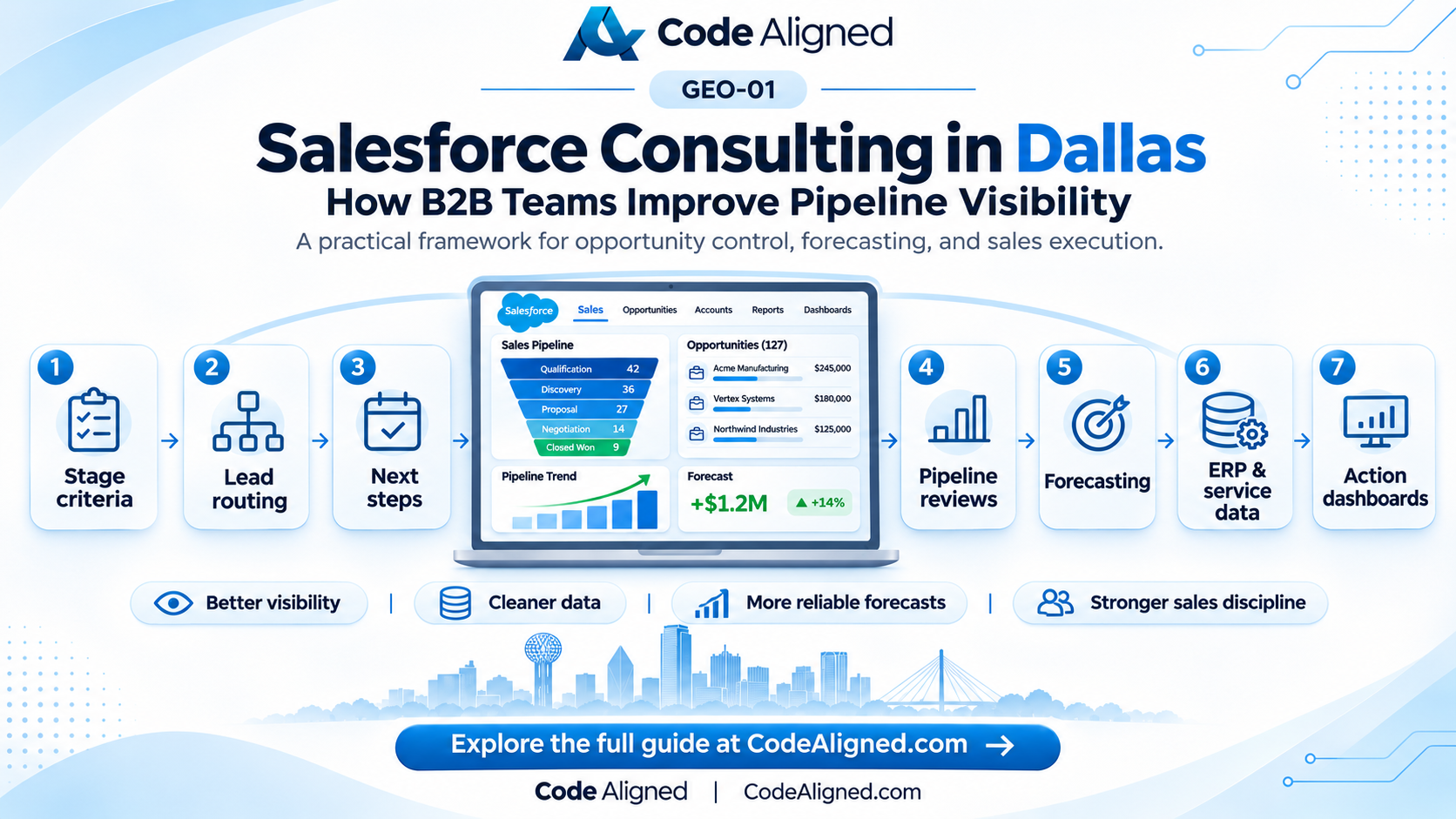
Here are seven improvements to examine before investing in another dashboard.
1. Make opportunity stages represent buyer progress—not rep optimism
Common problem: Two representatives place similar deals in different stages. The dashboard totals look precise, but the underlying definitions are inconsistent.
Salesforce approach: Agree on a manageable set of stages and define an observable exit criterion for each. Configure opportunity stages and use Salesforce Path to show guidance and key fields. Align forecast categories with the actual confidence represented by each stage rather than relying on arbitrary percentages.
For example, a hypothetical Dallas B2B services team could use:
| Stage | Evidence required before moving forward |
|---|---|
| Discovery | Business need and relevant stakeholders documented |
| Qualified | Budget/process/fit criteria assessed; next meeting agreed |
| Proposal | Scope, commercial proposal, and decision process recorded |
| Negotiation | Open objections, procurement status, and target decision date documented |
These are illustrative criteria, not Salesforce defaults. Avoid excessive required fields.
What improves: Managers can compare opportunities by actual buying progress and find deals that have been advanced without supporting evidence.
2. Give inbound leads an owner and a follow-up clock
Common problem: Website inquiries, event leads, referrals, and partner leads land in multiple inboxes. Nobody can tell when a lead first arrived, who accepted it, or whether a follow-up occurred.
Salesforce approach: Record the lead source, qualify the minimum information needed for routing, and use Lead Assignment Rules for straightforward user/queue assignment. Use Flow when additional business-specific actions, notifications, or exception handling are justified. Record-triggered Flow scheduled paths can run follow-up actions at a defined offset, subject to careful entry criteria and testing.
Illustrative scenario: A Dallas-area technology provider receives requests from a webinar, website contact form, and reseller network. Leads are categorized by inquiry type, placed with an accountable sales owner, and surfaced in an exception list when an agreed response window is missed. A 60-minute or one-business-day response target could be chosen by the company; neither is a universal Salesforce benchmark.
What improves: Sales leaders can see unassigned leads, aging inquiries, and leads without first contact rather than assuming the queue is being worked.
3. Keep a small set of opportunity fields trustworthy
Common problem: Close dates are left in the past, values are estimates nobody has revisited, and the Next Step field says “follow up” without an owner or date. Duplicate accounts make account-level reporting misleading.
Salesforce approach: Start with a short data contract: opportunity owner, stage, amount, expected close date, next step, and the buying relationship. Add product line, territory, sales motion, or decision date only when they support a defined decision. Use contextual validation, coaching, duplicate rules, and reports rather than filling the screen with mandatory fields.
Define clear owners for data changes. For example, the rep updates deal progress, sales operations maintains stage rules and dashboard definitions, and finance owns the interpretation of invoiced revenue. If the ERP owns orders, Salesforce should not quietly become a competing accounting system.
Simple audit: Review open opportunities with a past close date, missing next step, blank amount where amount is expected, or no clearly assigned owner. Investigate exceptions before using the report to judge rep performance.
What improves: A pipeline total becomes more defensible because it is based on records that follow agreed definitions.
4. Review what changed, not just what the pipeline totals say
Pipeline totals can stay flat even when deals slip out of the quarter and new ones take their place.
Salesforce approach: Where available and configured, Pipeline Inspection provides a consolidated view of opportunities, recent changes, metrics, activity, and selected insights. Salesforce documentation describes highlighted changes to amount, close date, stage, and forecast category, plus indicators when the Next Step field has not been updated for seven or more days. Historical trending supports several change views and must be configured correctly. Check edition, permissions, and feature prerequisites before promising this experience to a team.
A weekly review should isolate pushed close dates, stale next steps, forecast-category changes, and deals stuck longer than the team’s historical pattern.
Illustrative example: A $120,000 software implementation opportunity moves from November to January. The total open pipeline may look unchanged, but this one shift could materially change the near-term revenue discussion. The useful question is not “why did the number turn red?” but “what changed in the buyer’s decision process, and what action is assigned?”
What improves: Managers coach based on deal movement and risks rather than retrospective anecdotes.
5. Make forecasts explainable to sales and finance
Common problem: The sales team’s “likely revenue” number is treated as interchangeable with finance’s budget or the actual order book. Forecast meetings become arguments about definitions.
Salesforce approach: Map opportunity stages to forecast categories, agree how Pipeline, Best Case, Commit, and other categories should be interpreted, and configure the forecasting experience supported by the organization’s edition and licenses. Separate pipeline coverage from committed forecast and from closed-won bookings.
A useful leadership pack shows the source of the number: forecast period, included opportunity types, currency treatment, sales team, category, and timestamp. Review pushed deals and any manager adjustments. Forecast quality should be assessed over time against realized outcomes, without claiming the software makes forecasts accurate automatically.
Dallas example: A services company can separate new-logo projects from renewals using an agreed sales-motion field and appropriate reports.
What improves: Sales and finance discuss underlying assumptions rather than competing spreadsheets.
6. Connect Salesforce to the systems that confirm commercial reality
Common problem: The CRM reports a deal as nearly won while a quote is awaiting approval, an inventory issue threatens the delivery date, or an existing customer has an unresolved service issue. Sales sees the opportunity; other teams see the risk.
Salesforce approach: Decide which system owns each fact, then integrate only the statuses that improve decisions. Common candidates include quote approval, contract signature, ERP order status, outstanding service cases, and billing status. Use API or middleware integrations where appropriate, with defined matching, authentication, retry behavior, error handling, and monitoring.
Illustrative distribution scenario: A Dallas County wholesaler uses Salesforce for B2B opportunities and an ERP for inventory and orders. Sales sees a current, read-only order or fulfillment status on the account or related record. The ERP remains the source of truth for those operational facts. If an integration fails, the UI should make staleness visible instead of showing old information as current.
Choose nightly, event-based, or request-driven synchronization according to business risk.
What improves: Commercial discussions reflect the customer’s real situation, not just the seller’s notes.
7. Build a weekly operating rhythm around actions and measurable data quality
Common problem: A dashboard looks attractive when launched but becomes an unused executive screen. Nobody owns the reports, and no action follows an exception.
Salesforce approach: Build a small number of reports and dashboards around questions leaders actually ask. For example:
| Measure | Definition to agree | Owner/action |
|---|---|---|
| Stale next steps | Open opportunities with no meaningful next-step update by the agreed threshold | Sales manager reviews exceptions |
| Pushed close dates | Open deals moved into a later reporting period | Rep explains buyer-side change |
| Stage aging | Days in current stage compared with a team-specific baseline | Manager coaches or requalifies |
| Lead first-response coverage | Leads receiving initial response within the agreed service target | RevOps diagnoses assignment gaps |
| Forecast variance | Forecast vs. actual bookings for the same period and definition | Sales and finance review assumptions |
Choose a baseline and measure changes over multiple sales cycles; the examples above are not achieved client results.
A practical 30-day pilot framework—not a guaranteed implementation schedule—is: week 1, inventory reports and audit data; week 2, agree stages, ownership, and KPI definitions; week 3, configure a small set of changes in a sandbox and test with users; week 4, pilot, measure exceptions, and refine. Complex integrations, security reviews, or data migrations may need a longer project.
What improves: Pipeline visibility becomes an operational habit with clear owners and decisions.
How the connected workflow fits together
The architecture should remain simple enough for sellers and administrators to understand:
Website / Events / Referrals / Partner leads
                    |
                    v
         Salesforce Lead intake
       (source, routing, ownership)
                    |
                    v
      Accounts, Contacts, Opportunities
      (stages, next steps, close dates)
                    ^
                    |
 ERP / Quotes / Orders / Support Cases
  (governed, monitored status exchange)
                    |
                    v
      Reports + Pipeline Inspection*
                    |
                    v
      Sales manager review -> action
*Pipeline Inspection availability, edition, permissions, historical trending, and related feature access vary by organization. AI insights and advanced analytics may require additional licensing and configuration. This is a conceptual workflow, not a turnkey system diagram.
How to choose Salesforce consulting support in Dallas
Before commissioning new dashboards, ask a consultant how they will assess stage definitions, forecast logic, lead routing, integration ownership, testing, and adoption—and measure an improvement.
Code Aligned provides Salesforce consulting, implementation, customization, integrations, and ongoing support to US businesses, including teams serving Dallas and Dallas County. Delivery can be handled remotely with your stakeholders; this article does not imply a physical Code Aligned office or local staff in Dallas. Explore Sales Cloud consulting, Salesforce implementation, and Salesforce integration services.
Frequently asked questions
What should a Dallas B2B team fix first in Salesforce?
Begin with the decision leadership cannot make confidently today. For many teams, that means agreeing on opportunity stage definitions, identifying deals with unreliable close dates or next steps, and confirming who owns each incoming lead. An audit is usually more useful than immediately adding new automation.
Can Salesforce show deals that have stalled or slipped?
Yes. Opportunity reports can identify date and activity exceptions; Pipeline Inspection, where available and configured, can highlight recent changes and certain stale next-step signals. Review the organization's setup and access before choosing the exact approach.
Is Salesforce Pipeline Inspection available in every Sales Cloud organization?
No. Availability and feature details depend on edition, permissions, configuration, and in some cases add-ons. Historical trending and user access are important setup considerations. Confirm your organization's entitlements against current Salesforce documentation.
Can Salesforce connect pipeline visibility with ERP or quoting systems?
Yes, when the systems have suitable interfaces and clear data ownership. Design should specify the authoritative system, fields exchanged, timing, security, handling for errors, and what users see if the integration is delayed.
Sources and further reading
Regional context is based on public sources; feature descriptions are based on Salesforce’s official documentation. Check the current version of each source before acting on it.
- Federal Reserve Bank of Dallas — Dallas–Plano–Irving regional economy
- Dallas Regional Chamber — Dallas–Fort Worth region facts
- Salesforce — Manage Pipelines with Pipeline Inspection
- Salesforce — Turn On Pipeline Inspection
- Salesforce — Customize Pipeline Forecast Categories
- Salesforce — Lead Assignment Rules
- Salesforce — Record-Triggered Flow Scheduled Paths
- Salesforce — Opportunities Reports